
Why daily cleaning matters in a busy print room
Textile printers work hard in South African workshops where dust, heat, and power interruptions are part of normal trading. If a machine sits overnight with ink left in the wrong places, nozzles can block, printheads can dry out, and the first jobs of the day often suffer. A proper daily clean keeps the system moving and helps your team spot small problems before they become expensive repairs.
In places like Wadeville, Germiston or Boksburg, fine dust can settle on the carriage rails and around the capping station faster than many owners expect. Coastal humidity in Durban can also affect how ink behaves after shutdown, while winter dryness in Johannesburg can make residue build up quicker. A daily routine does not need to take long, but it should be done the same way every day.
The end-of-day routine every operator should follow
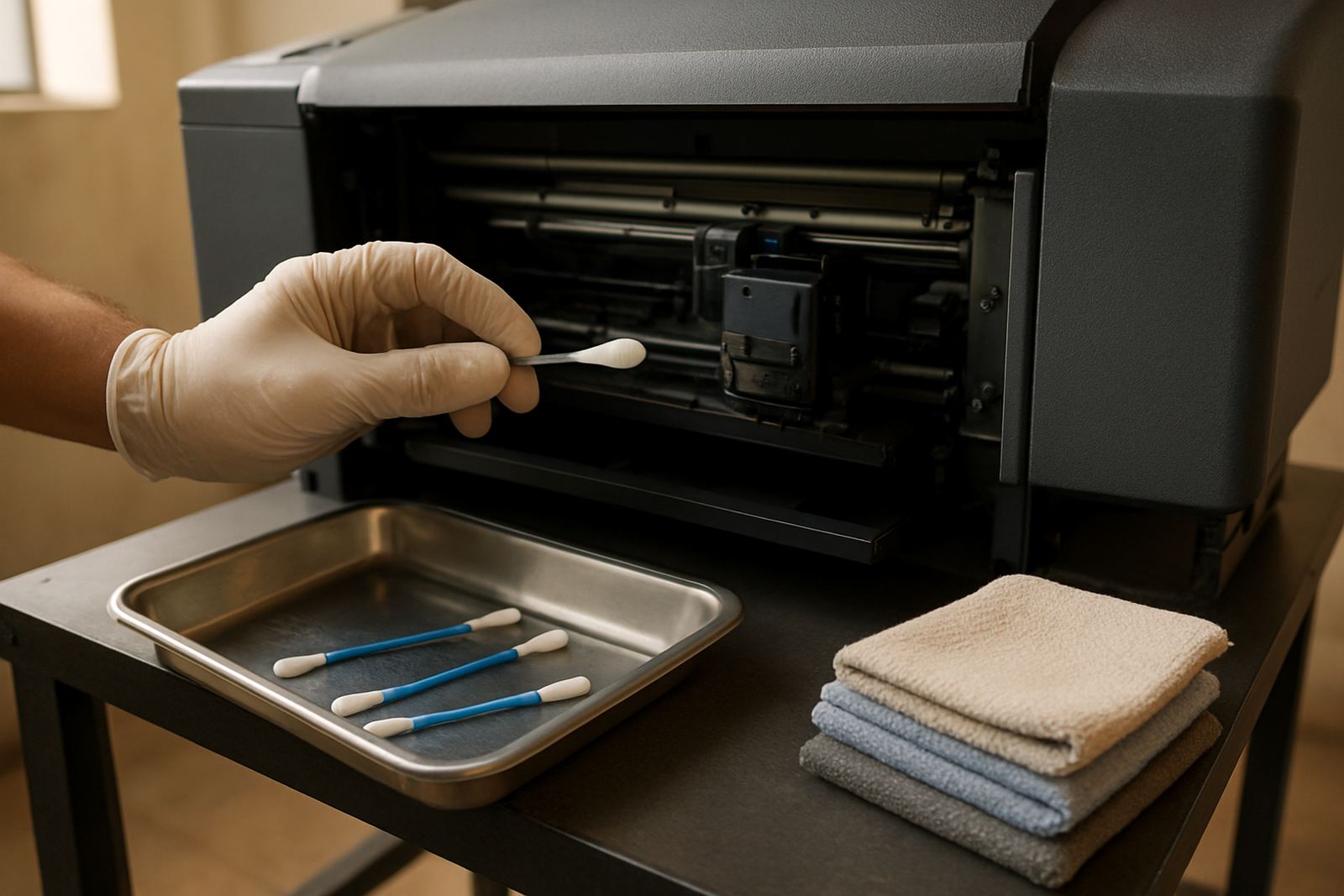
Before switching off, make sure the printer has completed its last job and the heads are parked properly. Then clean the visible working areas with lint-free cloths and the correct cleaning fluid for the machine. Do not use kitchen paper, because it leaves fibres behind and can scratch delicate surfaces. Keep the area tidy too, because loose fibres and scraps from garment production often end up in the printer bay.
- Wipe down the exterior panels and access doors.
- Remove dust from the platen, carriage path and surrounding table.
- Check the capping station for ink build-up.
- Inspect wipers for wear or dried residue.
- Confirm ink lines are free of air bubbles.
- Run the recommended shutdown or sealing process.
If your machine has a routine maintenance mode, use it. If the printer is left idle over a long weekend or after a load-shedding interruption, the sealing step is even more important. A missed step today can turn into a blocked head tomorrow and then you lose a full production slot, which is a nuisance when orders are due for a school event or boutique launch.
What to clean by hand and what not to touch
Operators often want to be thorough, but over-cleaning can cause damage. Stick to the parts that collect dust, ink mist and residue. Avoid touching the printhead face unless the manufacturer has given a clear procedure, because even a small scratch can affect nozzle performance. Keep pressure light and work in one direction so you do not push grime back into the mechanism.
A good rule is to clean what you can see, then inspect what you can reach safely. If there is heavy ink on a part that should be clean, stop and report it before the next shift. It is better to catch the issue early than to keep wiping and making things worse.
- Clean the outside casing and control area daily.
- Clear the platen and feed path of loose lint.
- Wipe the wiper blade and cap top carefully.
- Check around the ink station for drips or pooled ink.
- Do not force tools into nozzles, dampers or fittings.
Matching cleaning habits to South African conditions
A workshop in Pretoria does not face the same conditions as a sea-facing studio in Cape Town, so the routine should fit the site. In dry, dusty areas you may need a more careful wipe-down of rails and covers. In humid areas, moisture can mix with dust and leave sticky residue that attracts more dirt. If the business runs through long shifts, the machine may need a mid-day check as well, especially when production targets are tight.
During load-shedding, switch-offs can happen at awkward times. Train staff to park the machine properly and protect the heads before power is cut if there is warning. If the outage happens without notice, check the printer as soon as power returns, then run a quick inspection before resuming work. A few minutes spent checking can prevent a whole batch from being wasted.
A practical cleaning checklist for small garment shops
Many small shops do best with a simple printed checklist near the printer. That way, the same steps happen even when the owner is busy on the floor or serving customers. Keep the list short enough for staff to use every day, but detailed enough to cover the risky spots.
- Switch off or park the printer correctly.
- Clean lint and dust from the work area.
- Wipe the cap top, wiper and surrounding station.
- Inspect the ink path for leaks or bubbles.
- Check media guides and feed rollers for residue.
- Confirm all covers are closed before shutdown.
- Record any unusual noise, error message or print defect.
At our Germiston Demo Centre and support areas in Johannesburg, Pretoria, Durban, Cape Town and Bloemfontein, we often see printers that failed because one small step was skipped for a few days in a row. A checklist keeps the routine honest, and it also helps new staff settle in quickly without guessing.
When daily cleaning is not enough
Daily cleaning keeps a printer healthy, but it does not replace servicing. If prints start showing banding, missing colours or repeated nozzle loss, the machine may need more than a wipe-down. Thick ink build-up, a blocked line, or worn parts often show up only after a proper inspection. That is when preventive servicing, printhead cleaning, ink system flushing or colour profiling may be needed.
If your team is cleaning every day but quality still drifts, do not keep pushing production and hoping it clears on its own. In a small shop, one weak print can mean a rejected garment and a lost customer. It is better to stop, inspect and sort the fault before the next order lands on the queue.